Bookkeeping Software and Digital Financial Management
- -->> 6. Bookkeeping Software and Digital Financial Management
What you'll learn
 Introduction to Modern BookkeepingCore Categories of Bookkeeping SoftwareKey Features to Prioritize When Choosing SoftwareIndustry-Standard Solutions: A Closer Look
Manual bookkeeping, with its inherent risks of human error and time-consuming processes, has largely given way to sophisticated digital solutions. Essential bookkeeping software and tools have revolutionized how businesses track income, expenses, payroll, and overall financial health. Acquainting yourself with these industry-standard platforms is crucial for streamlining operations, ensuring compliance, and empowering informed decision-making, regardless of your business size or sector.
The Digital Transformation of Financial Management
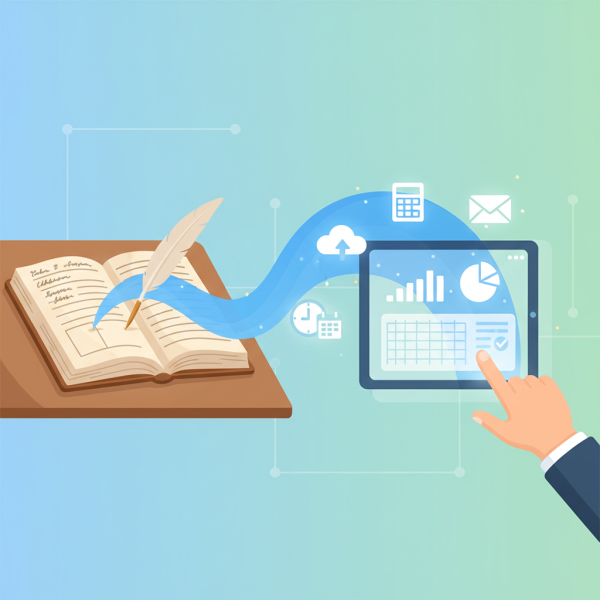
The journey from ledgers and spreadsheets to integrated, cloud-based systems marks a significant leap in financial management. This digital transformation has democratized access to powerful accounting capabilities, previously reserved for larger corporations with dedicated finance departments. Small and medium-sized businesses can now leverage robust software to automate routine tasks, gain real-time insights, and significantly reduce the time spent on administrative duties. The shift allows business owners and their teams to focus more on strategic initiatives rather than getting bogged down in transactional paperwork.
Core Categories of Bookkeeping Software
Modern bookkeeping encompasses several key areas, each often supported by dedicated software or integrated modules within a comprehensive system. Understanding these categories helps in selecting the right tools for your specific needs.
- Cloud-Based Accounting Software: These platforms form the backbone of modern bookkeeping, handling general ledger, accounts payable, accounts receivable, and basic financial reporting. They allow for anytime, anywhere access to financial data.
- Payroll Software: Essential for managing employee compensation, tax deductions, benefits, and compliance with employment laws. Many accounting software solutions offer integrated payroll, or businesses can opt for standalone services.
- Expense Management Software: Designed to track and categorize business expenses, often through features like receipt scanning and automated categorization. This reduces manual data entry and improves accuracy.
- Invoicing and Billing Software: While frequently a feature of core accounting platforms, specialized invoicing tools can offer enhanced customization, recurring invoice capabilities, and client portals for payment.
Key Features to Prioritize When Choosing Software
When evaluating the myriad of options available, certain features stand out as critical for operational efficiency and long-term utility.
- User-Friendliness: An intuitive interface reduces the learning curve and encourages consistent use across the team.
- Integration Capabilities: Seamless integration with banks, payment processors, CRM systems, and other business tools creates a unified data ecosystem.
- Scalability: The software should be able to grow with your business, accommodating increased transaction volumes, additional users, and expanding functionalities.
- Robust Reporting: Comprehensive financial reports (e.g., profit and loss, balance sheet, cash flow) are vital for performance analysis and strategic planning.
- Security and Data Backup: Essential for protecting sensitive financial information and ensuring business continuity.
- Customer Support: Responsive and knowledgeable support is invaluable when encountering issues or needing assistance with complex features.
Industry-Standard Solutions: A Closer Look
Several software platforms have emerged as leaders in the bookkeeping space, catering to different business sizes and needs.
QuickBooks Online (QBO)
Perhaps the most widely recognized name, QuickBooks Online offers a comprehensive suite of tools for small and medium-sized businesses. Its popularity stems from its robust feature set, extensive integration marketplace, and scalability.
- Track income and expenses
- Manage bills and accounts payable
- Create and send professional invoices
- Reconcile bank and credit card accounts
- Generate customizable financial reports
- Process payroll (add-on service)
- Manage inventory
Xero
Often seen as a direct competitor to QuickBooks Online, Xero boasts a highly intuitive interface and strong emphasis on collaboration. It is particularly popular among tech-savvy businesses and those valuing a clean user experience.
- Easy bank reconciliation and cash flow management
- Send customizable invoices and quotes
- Track projects and time
- Multi-currency support
- Integrates with hundreds of third-party apps
- Fixed asset management
FreshBooks
FreshBooks is renowned for its user-friendly interface and strong focus on invoicing, time tracking, and expense management, making it an excellent choice for freelancers, self-employed individuals, and small service-based businesses.
Wave Accounting
For very small businesses and sole proprietors with simple needs, Wave offers a compelling free accounting, invoicing, and receipt tracking solution. While powerful for its price point, it may lack the advanced features or extensive integrations of paid platforms.
Beyond Core Accounting: Specialized Tools
While core accounting software handles the bulk of financial tasks, specialized tools can further enhance efficiency:
- Receipt Scanning and Automation: Tools like Expensify or Zoho Expense automatically capture receipt data, categorize expenses, and often integrate directly with your accounting software.
- Time Tracking Software: Crucial for service businesses, tools such as Harvest or TSheets (now QuickBooks Time) integrate with payroll and project management to accurately bill clients and pay employees.
- Budgeting and Forecasting Tools: Some advanced accounting platforms include these, but standalone solutions can provide more detailed financial modeling and scenario planning.
Implementing and Maximizing Your Software Investment
Adopting new software requires more than just installation. Proper implementation and ongoing management are key to maximizing your investment.
Start with a thorough setup process, ensuring accurate initial data migration and correct configuration of charts of accounts, tax settings, and user permissions. Invest time in training yourself and your team to fully utilize the software's capabilities. Regularly reconcile bank accounts, review financial reports, and maintain consistent data entry practices to ensure the integrity and reliability of your financial information. Continuous use and periodic review of your software setup will yield the greatest benefits.
Summary
The landscape of bookkeeping has evolved dramatically, with industry-standard software and specialized tools now indispensable for modern businesses. From cloud-based accounting systems like QuickBooks Online and Xero to dedicated payroll and expense management solutions, these platforms automate tasks, enhance accuracy, and provide critical financial insights. Prioritizing features such as user-friendliness, integration, and scalability is vital for selection, while proper implementation and consistent use ensure maximum operational efficiency and informed strategic decision-making.
Comprehension questions
 What are the primary benefits of transitioning from manual to digital bookkeeping, as described in the article?Name and briefly describe three core categories of modern bookkeeping software highlighted in the content.According to the article, what are four crucial features businesses should prioritize when selecting bookkeeping software?Compare and contrast two industry-standard bookkeeping solutions mentioned in the article, listing at least two features for each.
Community Poll
Next Lesson

Course Contents : Running a Freelance Bookkeeping Business
- >> 6.
 Bookkeeping Software and Digital Financial Management